
The Push3 gateway will store as much data as possible. This is only limited by the size of the SD card or USB drive that is used. We ship EKM Push3 gateways with at least 32GB data SD cards (64GB as of June 2023). Data is stored in json format.
There are a few methods for retrieving data from the Push3 gateway:
1.) The first is a local (LAN) API to the Push3 gateway to extract json via REST API calls.
2.) The second is via direct user interface to the Push3 by connecting to the Push3 gateway on your local network (LAN).
3.) The third is to periodically connect the Push3 to the internet. While connected it will process, and upload to the cloud, any data that it has logged to its SD card or USB storage drive.
1.) Local API
Here is the basic structure of a call to the local API data from a Push3 connected to you LAN:
http://*your_LAN_IP_here*/readMeter?key=*your_gateway_key_here*&meters=*your_meter_number_here*&count=10
---
2.) To retrieve the data by connecting the Push3 gateway user interface on your local network:
- You can find your Push gateway's IP address in your account portal by selecting it from the column on the left.
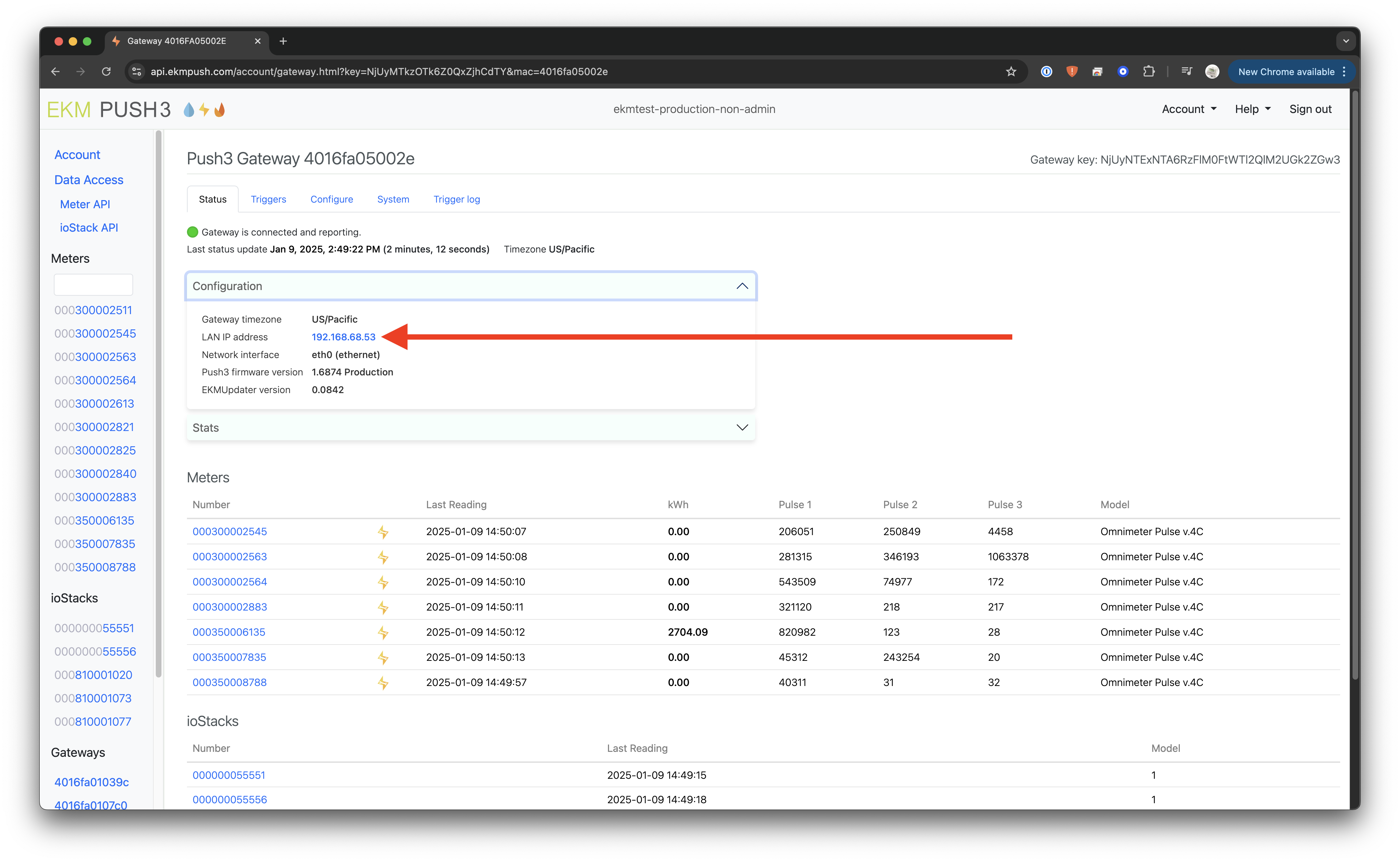
- If you are on the same network you should be able to click the IP address to go to the login page for the gateway.
- The default User is admin and the default password is the Gateway Key, which can be found in your online EKM Push Account Portal. More on where to find the Gateway Key can be found here. Before Push3 firmware v1.684 there was no password required.
- Click the Login button.

- Select the meter that you would like to retrieve data for, from the left column.

- Click on the Stored Data tab.
- Select the day that you would like to view and then click on the 15 minute period that you would like to view.


The data will display as json, which can be saved to your computer, from your browser, by doing a "Save page as". This is in the File menu on a Mac and can be done by first right clicking the page on a Windows computer and then selecting the Save as option.
---
3.) Internet Connection:
If you ultimately want the meter data in the cloud, so you can make use of Encompass or our cloud APIs, then you will need to periodically connect the Push3 to the internet. The Push3 is capable of storing data locally on an SD card or USB drive. It can log months of data, depending on the number of meters it is reading. That data can then be uploaded to the cloud if the Push3 is connected to the internet every so often. In that case it will summarize the stored data and upload it to our cloud database. This process can take a number of hours or even days.